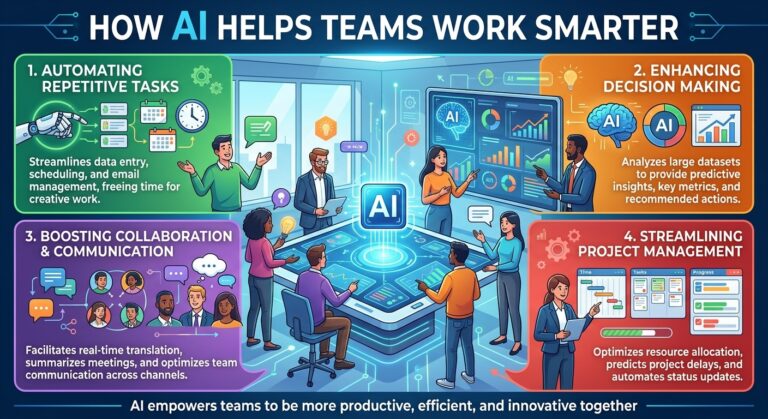
How AI Helps Teams Work Smarter: A Complete Guide to Modern Team Productivity
Introduction
Modern teams face growing demands to complete projects faster, communicate clearly, manage multiple responsibilities, and deliver high-quality results. Whether a business operates remotely, in a traditional office, or through a hybrid work environment, employees often spend valuable time on repetitive administrative tasks, lengthy meetings, scattered information, and inefficient workflows.
Artificial intelligence (AI) is changing how organizations approach these challenges. Instead of relying entirely on manual processes, teams can use AI-powered tools to organize information, automate routine activities, summarize discussions, analyze data, and support better decision-making.
Understanding how AI helps teams work smarter is becoming increasingly important for businesses that want to improve productivity without simply asking employees to work longer hours. AI can reduce unnecessary effort, make collaboration more efficient, and help people focus on activities that require creativity, judgment, and human understanding.
In this guide, we explore the major ways AI supports modern teamwork, the benefits businesses can expect, practical implementation strategies, and how organizations can use AI responsibly to create a more productive workplace.
What Does It Mean for Teams to Work Smarter With AI?
Working smarter means achieving better results through effective planning, efficient processes, and thoughtful use of available resources. It does not necessarily mean completing more tasks in less time. It also means reducing unnecessary work, improving accuracy, and helping employees concentrate on their most valuable responsibilities.
AI supports this approach by analyzing information, identifying patterns, generating useful content, and carrying out defined tasks with less manual intervention.
For example, a team member who previously spent an hour preparing meeting notes may use an AI assistant to summarize a transcript, identify key decisions, and organize action items. The employee can then spend more time following up on important decisions rather than documenting every detail manually.
Similarly, a customer service team can use AI to categorize incoming inquiries, suggest responses, and direct complex requests to the appropriate employee.
AI does not automatically make every process better. Its value depends on the quality of the tools, the information provided, the workflow being improved, and the people responsible for reviewing the results.
The goal is to combine artificial intelligence with human expertise to create a more effective way of working.
AI Automates Repetitive Tasks
One of the most practical ways AI helps teams work smarter is by reducing the amount of time spent on repetitive activities.
Many employees handle routine responsibilities every day, including organizing documents, categorizing messages, updating records, drafting standard communications, and preparing recurring reports. Although these tasks may be necessary, they can take attention away from more important work.
AI-powered automation can simplify many of these processes.
Examples of tasks AI can automate
- Sorting and categorizing incoming emails or support requests.
- Extracting information from documents and forms.
- Drafting routine messages and follow-up communications.
- Summarizing reports and lengthy documents.
- Updating information across connected business systems.
- Generating recurring performance summaries.
- Organizing tasks according to predefined rules.
Consider a marketing team that receives hundreds of content requests each month. An AI-enabled workflow can categorize each request, identify missing information, assign a suggested priority, and notify the appropriate team member.
Employees still make important decisions, but they spend less time handling administrative details.
The best starting point is to identify tasks that are frequent, predictable, and time-consuming. Automating these activities can create meaningful improvements without requiring an organization to redesign its entire operation.
AI Improves Team Communication
Clear communication is essential for successful teamwork. However, employees often struggle with overflowing inboxes, lengthy message threads, unclear instructions, and information spread across multiple platforms.
AI can help teams communicate more efficiently by making information easier to understand and act upon.
AI writing assistants can help employees draft emails, improve message clarity, adjust tone, and summarize long conversations. Translation features can also support teams working across different languages, although important translations may still require human review.
For example, a project manager who needs to update several departments can use AI to transform detailed project notes into a concise status report. Each department can receive the information most relevant to its responsibilities.
AI can also help employees turn informal notes into structured instructions, making it easier to understand deadlines, responsibilities, and expected outcomes.
Benefits of AI-powered communication
Faster information sharing: Employees can summarize large amounts of information instead of asking everyone to read lengthy discussions.
Clearer messages: AI can help make instructions more organized and easier to follow.
Reduced communication overload: Summaries can highlight important decisions and outstanding questions.
Better language support: Translation and rewriting tools can help multilingual teams collaborate.
AI should support communication rather than replace meaningful human interaction. Sensitive conversations, performance discussions, conflict resolution, and relationship-building still require empathy and personal judgment.
AI Makes Meetings More Productive
Meetings can help teams solve problems and make decisions, but poorly managed meetings often consume time without producing clear outcomes.
AI meeting assistants can help improve the process before, during, and after a meeting.
Depending on the tool and permissions provided, these systems may transcribe conversations, generate summaries, identify decisions, and organize follow-up tasks.
Instead of asking an employee to write down every detail, a team can use AI to create a structured record of the discussion.
How AI improves meeting efficiency
- Produces summaries of important discussion points.
- Identifies decisions and unresolved questions.
- Creates draft action items and follow-up lists.
- Helps employees review discussions they missed.
- Organizes notes into searchable records.
- Supports preparation by summarizing relevant documents.
Imagine a product development team discussing a new feature. After the meeting, an AI assistant prepares a summary containing the agreed requirements, responsible team members, unresolved technical questions, and proposed deadlines.
The project manager can review the summary, correct any mistakes, and distribute the final version.
This approach reduces administrative work while helping the team maintain accountability.
Organizations should inform participants when meetings are recorded or transcribed, follow applicable privacy requirements, and review AI-generated summaries before relying on them.
AI Strengthens Team Collaboration
Effective collaboration depends on employees having access to the right information at the right time. When documents, conversations, project updates, and customer records are scattered across different systems, coordination becomes difficult.
AI collaboration tools can help organize information and make it easier for employees to find what they need.
For example, an AI assistant connected to authorized company documents may help an employee locate a project requirement, summarize a previous decision, or identify the latest version of a shared resource.
AI can also help teams develop project plans, brainstorm ideas, draft presentations, and organize complex assignments into smaller tasks.
Supporting remote and hybrid teams
Remote teams often face additional challenges because employees may work in different time zones or follow different schedules.
AI can help by summarizing conversations, documenting decisions, and making project information accessible asynchronously. Team members do not always need to attend the same meeting to understand what happened or determine their next steps.
However, collaboration tools must respect access permissions. AI should not expose confidential documents or private conversations to employees who are not authorized to see them.
The strongest collaboration systems combine accessible information, clear responsibilities, and appropriate security controls.
AI Helps Teams Prioritize Work
When every task appears urgent, employees can struggle to determine where their attention should go first.
AI can support task prioritization by analyzing available information, identifying deadlines, organizing requests, and suggesting which activities may need immediate attention.
For example, a customer support team may use AI to classify incoming messages according to urgency, customer impact, or predefined service rules. A project team may use an AI assistant to identify upcoming deadlines and highlight tasks that depend on unfinished work.
These recommendations can help managers make better use of their team’s time.
Using AI for smarter planning
AI-powered planning can help teams:
- Organize tasks by deadline and importance.
- Identify missing information that could delay a project.
- Highlight dependencies between assignments.
- Generate project timelines and draft schedules.
- Identify workload imbalances for managers to review.
- Summarize progress across multiple projects.
AI-generated priorities should be treated as recommendations rather than unquestionable decisions. A system may overlook business context, personal circumstances, or a critical relationship that is not represented in its data.
Managers should retain responsibility for final priorities and ensure that workload decisions remain fair and realistic.
AI Supports Better Decision-Making
Teams frequently make decisions using reports, customer feedback, sales figures, project updates, and operational data. Reviewing all this information manually can be time-consuming.
AI can help teams interpret large amounts of data by identifying patterns, summarizing findings, and generating questions for further investigation.
For example, a sales team may use AI to analyze customer inquiries and identify recurring concerns. A marketing team may examine campaign results to discover which messages appear to attract more engagement. An operations team may investigate recurring delays across different workflows.
These insights can help employees move from collecting information to understanding what it might mean.
AI as a decision-support tool
AI can assist with:
Trend identification: Detecting patterns that may be difficult to recognize in large datasets.
Scenario planning: Helping teams compare possible approaches and their potential implications.
Performance analysis: Summarizing relevant metrics and highlighting areas for investigation.
Problem identification: Finding recurring issues that deserve closer attention.
Report preparation: Turning raw information into structured summaries for team discussions.
AI-generated analysis can contain errors or reflect incomplete data. Teams should verify important findings, check the underlying evidence, and use human expertise when decisions involve substantial financial, legal, safety, or reputational risks.
AI works best when it improves the quality of human judgment rather than replacing it.
AI Improves Customer Service Team Performance
Customer service teams must respond to inquiries quickly while maintaining accuracy, professionalism, and empathy. As customer expectations grow, managing large volumes of conversations can become increasingly challenging.
AI can help customer service employees handle routine requests more efficiently and focus their attention on customers who need personalized assistance.
Practical applications of AI in customer service
Automated responses: AI assistants can answer common questions about business hours, order processes, account procedures, and available services when configured with reliable information.
Intelligent routing: AI can categorize customer inquiries and direct them to the appropriate department or support specialist.
Response suggestions: AI can help agents draft replies based on approved knowledge sources and company policies.
Conversation summaries: AI can summarize previous interactions so employees do not need to review every message manually.
Sentiment indicators: Some tools can identify language that may indicate frustration or dissatisfaction, helping agents decide which conversations deserve closer attention.
Self-service support: AI chatbots can help customers find answers without waiting for an employee, provided the chatbot can handle the request reliably.
For example, when a customer asks about a service feature, an AI assistant might provide an approved explanation. If the customer raises a billing dispute or describes a complicated problem, the system can transfer the conversation to a human representative with a useful summary.
This approach allows businesses to combine automation with human support.
Solutions such as SmileLineAI can fit into this broader strategy by helping businesses explore AI-powered customer communication and more efficient customer interactions.
AI Helps Teams Create Content Faster
Content creation is an important part of marketing, sales, customer support, education, and internal communication. Teams often need to produce emails, articles, product descriptions, social media posts, presentations, and documentation.
AI tools can help employees move from a blank page to a workable first draft.
They can suggest outlines, summarize research, rewrite paragraphs, generate alternative headlines, and adapt content for different audiences.
For example, a marketing team can turn a webinar transcript into a blog outline, a newsletter draft, and a set of social media post ideas. Employees can then refine each version to match the brand’s voice and communication goals.
How AI supports content teams
- Generates initial outlines and brainstorming ideas.
- Helps draft routine marketing and business communications.
- Repurposes existing content into different formats.
- Checks writing for clarity and organization.
- Suggests headlines and calls to action.
- Summarizes source materials for further review.
- Helps standardize recurring content workflows.
AI-generated content still requires editorial judgment. Teams should verify facts, check for originality, protect confidential information, and ensure the final work reflects their organization’s expertise.
The objective is not to publish more content regardless of quality. It is to reduce avoidable production effort while maintaining accuracy, relevance, and a consistent brand identity.
AI Enables More Personalized Teamwork
AI can also help teams adapt their work to different customers, projects, and business needs.
For customer-facing teams, AI can summarize authorized customer history, identify preferences recorded in approved systems, and suggest relevant information for an interaction.
For internal teams, AI can help tailor project summaries to different roles. An executive may need a brief overview of progress and risks, while a technical specialist may need detailed requirements and unresolved issues.
This ability to organize information for different audiences can improve clarity and reduce unnecessary work.
However, personalization must be based on appropriate information and transparent practices. Businesses should avoid collecting unnecessary personal data or making consequential assumptions about people based on unreliable AI predictions.
AI Helps Managers Understand Workload and Performance
Managers need to understand whether projects are progressing, whether employees have enough capacity, and where teams may need additional support.
AI-enabled reporting can help consolidate project updates, summarize completed work, identify recurring bottlenecks, and highlight missed deadlines.
For instance, a project dashboard may show that several tasks are repeatedly delayed because they depend on approval from the same department. A manager can then investigate the approval process rather than simply asking employees to work faster.
AI can also help managers prepare progress reports and compare planned activities with actual results.
Use performance data responsibly
Productivity should not be measured only by the number of messages sent, tasks completed, or hours spent online. These measures can overlook the quality, complexity, and value of an employee’s work.
Managers should use AI-generated metrics carefully, explain how performance information is used, and avoid treating automated assessments as complete representations of employee contribution.
The purpose of AI-assisted management should be to identify process improvements, support employees, and remove barriers to effective work.
AI Reduces Information Overload
Employees frequently deal with more information than they can reasonably review in a single day. Long reports, internal announcements, customer conversations, documents, and project updates compete for attention.
AI can help make this information easier to process.
Summarization tools can extract major points from lengthy documents. Search assistants can help employees locate relevant information. Document analysis tools can compare files, identify differences, and generate structured summaries.
For example, before a planning meeting, a team leader might use AI to summarize several project reports and prepare a list of key questions. The team can then spend more time discussing decisions and less time reviewing background material.
Information retrieval is particularly useful when organizations have large knowledge bases or employees need to work across multiple departments.
To get reliable results, teams should use approved information sources, maintain current documentation, and verify important summaries against the original material.
AI Encourages Better Knowledge Sharing
A common workplace problem occurs when important information exists only in one employee’s inbox, memory, or personal documents.
When employees leave, change roles, or become unavailable, other team members may struggle to locate the knowledge they need.
AI can help organizations make documented knowledge more accessible by summarizing procedures, organizing internal resources, and supporting natural-language searches across authorized repositories.
For example, a new employee could ask an internal assistant how a particular support process works and receive a response based on approved company documentation.
This can make onboarding easier and reduce repeated questions.
However, AI cannot compensate for documentation that is outdated, incomplete, or contradictory. Organizations should maintain clear ownership of their knowledge resources and establish a process for correcting inaccurate answers.
AI Supports Cross-Department Collaboration
Many business projects require cooperation between marketing, sales, customer service, finance, operations, and technical teams. Each department may use different tools and terminology, making coordination difficult.
AI can help translate information between these working contexts by producing summaries, identifying shared requirements, and organizing updates into a common format.
For example, customer service feedback may reveal that customers repeatedly misunderstand a product feature. AI can summarize these concerns for the product team and help marketing prepare clearer explanations.
Sales teams can share recurring customer objections with marketing, while operations teams can identify service issues that require product or process changes.
These applications help departments use information collectively rather than allowing valuable insights to remain isolated.
Successful cross-department collaboration still requires clear ownership, compatible systems, appropriate permissions, and regular human communication.
AI Helps Small Businesses Work More Efficiently
Large organizations are not the only businesses that can benefit from AI. Small businesses often have limited staff and budgets, which makes efficient use of time especially important.
Accessible AI tools can help smaller teams handle routine work without immediately hiring additional employees or building complicated systems.
A small business might use AI to draft customer emails, summarize meetings, prepare marketing content, organize leads, answer common questions, and produce simple operational reports.
Practical examples for small teams
A small online store: Uses AI to draft product descriptions, categorize customer inquiries, and prepare order-update messages.
A marketing agency: Uses AI to summarize client meetings, develop content outlines, and organize campaign reports.
A service provider: Uses an AI assistant to respond to routine questions and route complicated requests to staff.
A consulting team: Uses AI to summarize research documents and prepare first drafts of client presentations.
A startup: Uses AI to document procedures and help new employees understand internal workflows.
Small businesses should begin with tools that solve specific problems rather than adopting every available AI product. A focused implementation is often easier to manage, measure, and improve.
AI Helps Teams Reduce Workplace Stress
Unnecessary administrative work, unclear responsibilities, and constant interruptions can contribute to workplace frustration. Although AI cannot eliminate every source of stress, it can help reduce some avoidable demands.
Automating routine tasks, simplifying reporting, organizing communications, and making information easier to find can give employees more time to concentrate on meaningful work.
AI can also help teams identify recurring process bottlenecks, allowing managers to address underlying causes rather than repeatedly asking employees to compensate for inefficient systems.
However, AI should not become a reason to increase workloads indefinitely. If automation allows a task to be completed faster, the time saved should be used thoughtfully—for example, to improve quality, support customers, develop skills, or create a more sustainable workload.
The best results come when organizations treat AI as a tool for improving the work experience, not merely increasing output expectations.
Best Practices for Using AI to Improve Team Productivity
Adopting AI successfully requires more than purchasing a tool. Teams need a clear plan, appropriate safeguards, and a way to evaluate results.
- Identify the biggest productivity challenges
Start by asking employees which tasks consume unnecessary time. Look for repetitive administrative work, communication bottlenecks, recurring documentation problems, and difficulty finding information.
Choose a specific problem that can be measured.
- Select tools that match the workflow
Evaluate AI tools according to their actual capabilities, compatibility with existing systems, usability, security, and cost.
A tool designed for meeting summaries may be more useful than a general-purpose assistant if meeting documentation is the team’s biggest challenge.
- Start with a small pilot project
Test the tool with one workflow or team before expanding it across the organization.
For example, use AI to prepare draft meeting summaries for a few weeks. Ask employees whether the summaries are accurate, whether they save time, and what needs improvement.
- Establish clear human review
Decide which tasks AI can handle independently, which require approval, and which must remain under direct human control.
Low-risk administrative tasks may need only occasional checks, while customer commitments, financial decisions, and sensitive communications may require more extensive review.
- Train employees to use AI effectively
Employees need to understand how to provide useful instructions, verify outputs, recognize limitations, and protect sensitive information.
Training should focus on real workplace examples rather than abstract explanations of AI technology.
- Protect business and customer information
Use approved tools and review their privacy, retention, access-control, and data-handling policies.
Avoid entering confidential customer information, employee records, credentials, or proprietary business materials into unapproved services.
- Measure results and improve continuously
Compare the workflow before and after introducing AI. Review the time required, error rates, customer satisfaction, employee feedback, and overall process quality.
Keep the tool if it delivers meaningful benefits. Adjust or discontinue it if the results do not justify the cost or added complexity.
Common Mistakes Teams Should Avoid When Using AI
Although AI can improve productivity, poor implementation may create additional problems.
Relying on AI without checking its work
AI can produce incorrect facts, misleading summaries, or recommendations that do not reflect the full situation. Important outputs should be verified before use.
Automating an inefficient process
If a workflow contains unnecessary steps, automating it may simply make the inefficient process run faster. Improve the workflow before adding automation where possible.
Using too many disconnected tools
Adopting numerous AI applications can create fragmented information, overlapping subscriptions, and additional administrative work. Choose a manageable set of tools that serve clear purposes.
Ignoring employee concerns
Employees may worry about privacy, job changes, monitoring, or being expected to produce more work. Explain why AI is being introduced, what it can and cannot do, and how employees will be supported.
Measuring productivity too narrowly
Faster output does not always mean better output. Teams should consider quality, accuracy, customer experience, employee well-being, and long-term results.
Overlooking security and permissions
AI systems connected to company data must follow appropriate access controls. Employees should only receive information they are authorized to access.
Avoiding these mistakes helps organizations use AI in ways that support both business performance and employee confidence.
The Future of AI-Powered Teamwork
AI is moving beyond simple text generation and basic automation toward systems that can coordinate more complex, multi-step activities.
Emerging applications include AI agents that carry out defined tasks, assistants that work across connected business applications, and systems that help employees coordinate projects using information from multiple sources.
For example, a team may eventually use an AI assistant to gather project updates, identify overdue tasks, prepare a progress report, and draft follow-up messages for human approval. The employee remains responsible for reviewing the results and deciding what actions to take.
Multimodal AI may also help teams work with text, images, audio, video, and structured data within the same workflow. This could simplify activities such as reviewing training materials, analyzing customer feedback, and documenting technical processes.
However, more advanced automation also creates new responsibilities. Businesses will need to establish appropriate permissions, monitor performance, protect sensitive information, and define who is accountable when AI-assisted processes produce errors.
The future of teamwork is therefore unlikely to depend on AI alone. It will depend on how effectively organizations combine automation, human expertise, responsible governance, and clear communication.
How SmileLineAI Fits Into Smarter Teamwork
For businesses seeking to improve customer communication and operational efficiency, AI-powered customer solutions can be an important part of a broader productivity strategy.
SmileLineAI can be positioned within this discussion as a resource for businesses exploring AI-assisted customer interactions and communication workflows.
When routine customer questions can be handled appropriately by an AI system, employees may have more time for complex inquiries, relationship-building, and situations requiring human judgment.
Businesses considering AI customer communication should evaluate their specific requirements, including the types of inquiries they receive, the information their systems need to access, when conversations should be escalated, and how success will be measured.
A thoughtful implementation can help connect customer service improvements with wider business goals such as faster responses, more consistent communication, and better use of employee time.
Conclusion
AI helps teams work smarter by reducing repetitive work, improving communication, supporting collaboration, organizing information, and assisting with decision-making. It can also help customer service, marketing, operations, and management teams make better use of their time and resources.
The greatest benefits come from applying AI to clearly defined problems rather than adopting technology simply because it is available. Teams should start with practical use cases, choose appropriate tools, train employees, protect sensitive information, and measure results over time.
Most importantly, AI should strengthen human capabilities rather than replace the judgment, creativity, empathy, and accountability that effective teamwork requires.
As AI tools continue to develop, businesses that combine thoughtful automation with skilled employees will be better positioned to improve productivity, adapt to changing demands, and deliver more valuable results.
The key to working smarter is not letting AI do everything. It is using AI to remove unnecessary effort so people can focus on the work that matters most.